Rio for Work From Home
Your office moved home. Give it a network of its own.
The Rio router gives your work laptop its own SecureRoom, walled off from the kids’ tablets and gadgets. Every new device waits for your OK.
- A walled-off work room
- 1 year of Rio VPN included
- About 10 minutes to set up
One hacked gadget. Your client files next.
At home, your work laptop usually shares Wi-Fi with smart plugs, consoles and the kids’ tablets. Rio gives work a room of its own.
- 10 attacks a day on the average home networkNETGEAR and Bitdefender, 2024
- 35% of US workers do some of their work from homeBLS, 2025
- Millions of home devices hijacked by one criminal networkFBI, 2025
 Worst case
Someone outside is on the network your client files use.
Device approvalNo new device gets on your Wi-Fi without your OK in the Rio app.
 Worst case
A $15 smart plug, one hop from your work laptop.
A work roomWork devices get their own SecureRoom, walled off from smart gadgets by default.
 Worst case
Your kid’s game picks up malware. Your client files are next door.
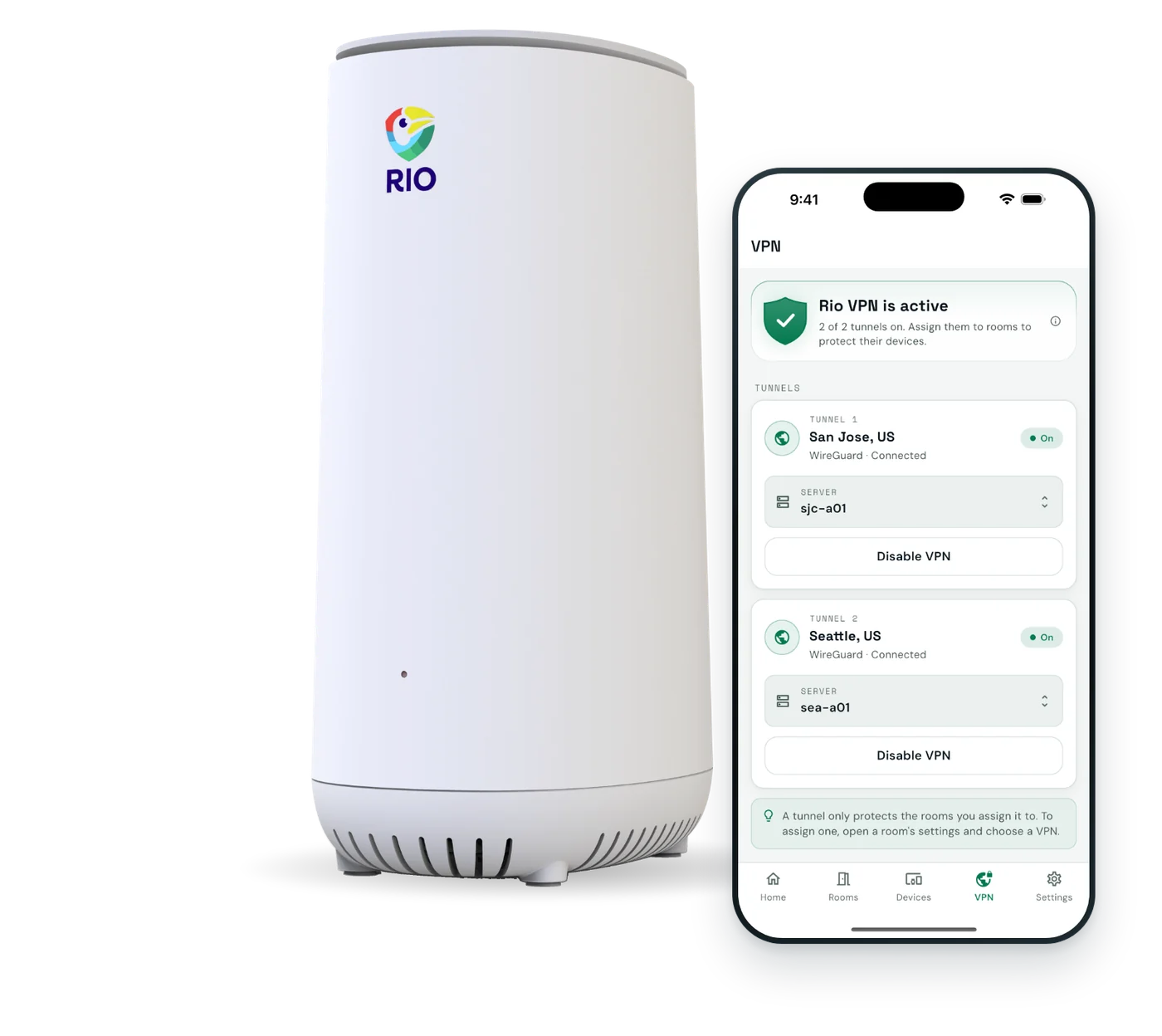
Rio VPN for the work roomClient work gets its own room, with Rio VPN covering every device in it.


With Rio
Same desk. Now work has a room of its own.
Your work devices sit in their own SecureRoom, with Rio VPN on for that room.
- Work gets its own roomWalled off from family devices and gadgets.
- Rio VPN for the work roomEvery device in it is covered, printer included.
- Nothing joins without your OKNo unknown device gets near your laptop.
How Rio sets up your rooms
A home office, walled off.
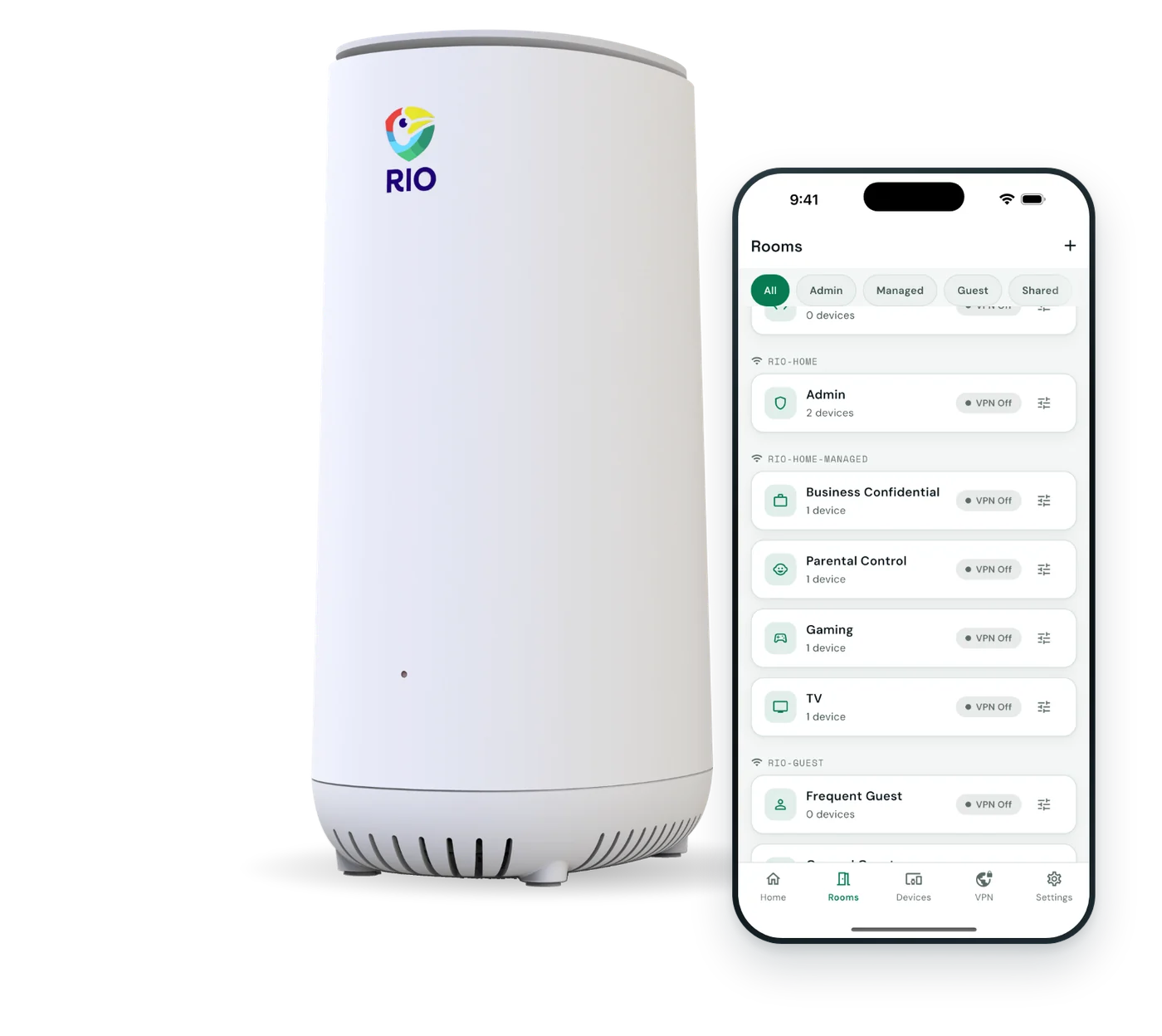
Rooms are walled off by default. Open a path between them only when you choose.

-
WorkVPN on
- Work laptop
- Desktop
- Printer
Walled off. Rio VPN covers the whole room.
-
FamilyPrivate
- Phones
- Kids’ tablets
- TV
-
Smart homeWalled off
- Speakers
- Smart plugs
- Doorbell
-
GuestsGuest Wi-Fi
- Visitors’ phones
Removed when they disconnect.
An example home office. Up to 16 rooms, each with its own Wi-Fi password.
Back to work in about 10 minutes.
No IT department needed. The app shows you each step.
Plug in behind your modem.
Rio replaces your current router. Scan the QR code on the back and follow the app.
Build your work room.
Give the work room its own Wi-Fi password, then approve your laptop, desktop and printer.
Lock in the extras.
Switch on Rio VPN for the work room, wall off gadgets and put visitors on guest Wi-Fi.
What Rio does, and doesn’t do.
Your home office deserves straight answers. Here they are.
| Topic | Rio handles it | Still on you |
|---|---|---|
| Work devices | Walled off from family devices and gadgets | Keep your company’s IT tools running |
| Rio VPN | For the rooms you choose, plus apps for the road | Ask IT before using it on work devices |
| Video calls | Wi-Fi 6, built for 150+ devices | No call priority. Your plan sets the ceiling. |
| Work accounts | Can’t secure your logins | Unique passwords and two-step login |
| Compliance | Doesn’t certify you for any regulation | Your employer’s and clients’ security rules |
Handle government contract data? See Rio for Defense.
Rio’s Wi-Fi uses WPA2 Personal, with a separate password per room.
Remote work questions.
Different setup? Email our team and a real person will reply.
Should my work laptop be on a separate network?
It’s a smart move. Your work laptop holds what your employer and clients care about most. Rio gives work devices their own SecureRoom, walled off from tablets, consoles and smart gadgets by default. Other rooms can’t reach it unless you open a path.
Will Rio VPN conflict with my company’s VPN?
You decide room by room. If your employer requires its own VPN, keep using it and check with IT before turning on Rio VPN for your work room. You can leave Rio VPN off there and on for other rooms.
Will Rio help my video calls?
Rio runs Wi-Fi 6, designed to keep a busy network moving, and is built for 150+ devices. Add mesh if your desk is far away. Rio has no setting that puts calls ahead of streaming, and your internet plan sets the upper limit.
Will my work printer, dock and Zoom still work?
Yes. Rio is your router, so Zoom, Teams, Slack and cloud tools work as usual. Keep the printer in the same room as your laptop. Devices in other rooms can’t reach it unless you open a path.
Will my IT department mind?
Rio replaces your home router, not anything your employer manages. Your work laptop, VPN and company apps keep working as they do now. If your company has rules for home networks, ask IT, and we’re happy to answer their questions.
Can my family still use the Wi-Fi at the same time?
Yes. The kids’ tablets and the family’s TVs sit in other rooms on the same Rio, so everyone stays online, and none of them can reach your work laptop.
Will Rio work with my internet provider?
Yes. Rio plugs in behind your provider’s modem and takes over as your router, so it works with the internet you already pay for. The app walks you through it.
I handle government contract data. Is Rio enough?
Rio secures the network in a home office. If you work on defense contracts, see Rio for Defense, our business-grade setup for contractors, and follow your contract’s security requirements.
What does Rio cost?
$199.99, once, including 1 year of Rio VPN. After that, Rio VPN is optional at $7.99 a month or $79.99 a year. Shipping is free, and Rio comes with 30-day returns and a 1-year warranty.
Do I need to be technical to set up Rio?
No. Plug Rio in behind your modem, scan the QR code on the back, and the app walks you through every step. Plan on about 10 minutes. If you can install an app, you can set up Rio.

Clock in on your own network.
A walled-off work room, Rio VPN and device approval, on Wi-Fi 6.
$199.99includes 1 year of Rio VPN
- About 10 minutes to set up
- Free shipping
- 30-day returns
- 1-year warranty