accounts exposed in 5 breachesIncluding Angel One: bank account numbers
router flaws under attackIn MikroTik routers
The average home runs 21 connected devices on one network. If one is hacked, the rest are in reach.
 Worst case
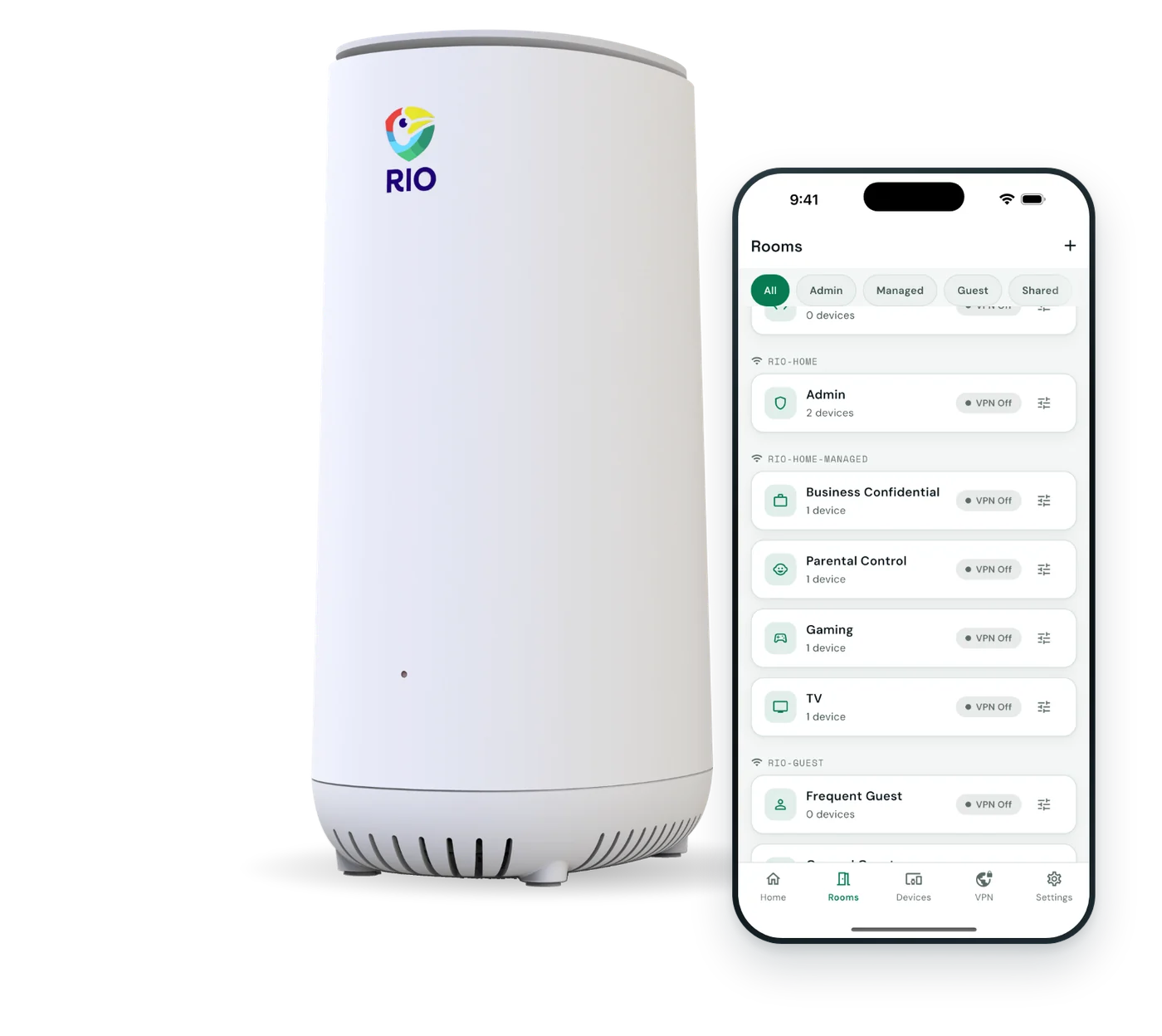
SecureRoomsRio puts every gadget in a walled-off room.
 Worst case
Device approvalNew devices wait for your OK in the Rio app.
 Worst case
A room for the kidsKids’ devices get their own room, apart from yours.


With Rio
Rio splits your home into walled-off SecureRooms, and nothing new joins without your OK.
No tech skills needed. The app shows you each step.
Rio replaces your current router. Scan the QR code and the app guides you.
Cameras in one room, laptops in another. Approve each device as it joins.
Turn on Rio VPN, a kids’ website list and guest Wi-Fi.
Pick your home or work and see how Rio fits it.
Watch the film
Customer stories


“In my 3 decades with the FBI, I've never encountered a consumer router like Rio. Rio has found a way to take advanced protection, and make the software extremely easy for any consumer to use. Rio is reshaping the way we look at securing our homes and families.”
“Rio's Zero Trust security gives me peace of mind I never had with my old router. Knowing that only devices I've approved can connect to my network is a game-changer. It's like having a digital bouncer for my home Wi-Fi!”
“Hands down, Rio is for sure better than eero. While eero was once good, Rio completely outshines it. Tons of features, and easy to use software”
“As a mom, I love Rio's parental controls. Instead of constantly blocking new harmful sites, I just approve the ones I trust. It's made managing my kids' online time so much easier and safer.”
“I've been in networking for 30 years and have found no other product that effortlessly harmonizes enterprise-grade security functionalities with consumer simplicity and accessibility like Rio. Rio is a true game changer.”
Gadgets in their own rooms. New devices wait for your OK.
$199.99includes 1 year of Rio VPN










More questions? Email our team and a real person will reply.
Yes. Rio goes behind your modem in place of your current router and becomes your home Wi-Fi. Nothing else in your setup changes.
Yes. Rio plugs in behind your provider’s modem and takes over as your router, so it works with the internet you already pay for. The app walks you through it.
No. Plug Rio in behind your modem, scan the QR code on the back, and the app walks you through every step. Plan on about 10 minutes. If you can install an app, you can set up Rio.
Most routers put every device on one shared network, so one hacked gadget can reach your laptop. Rio splits your home into up to 16 rooms that are walled off from each other, and every new device needs your approval.
Even with the Wi-Fi password, a new device lands in a waiting area until you tap Approve or Block in the Rio app. Ignore it and it’s declined after 5 minutes. Most routers let anyone with the password straight in.
No. The router, rooms, firewall and device approval are yours for one price. Your first year of Rio VPN is included. After that, Rio VPN is optional at $7.99 a month or $79.99 a year, and everything else keeps working without it.
Yes. Rio is Wi-Fi 6, up to 2,800 Mbps, with a 2.5 Gbps internet port, so it keeps up with fast home plans, gigabit included. Your provider’s plan sets the top speed.
Yes. Phones, laptops, TVs, consoles and smart gadgets join Rio’s Wi-Fi like any router, and it’s built for 150+ devices. Each new device waits for your OK in the app, so nothing joins unseen.
One Rio covers up to 4,800 sq ft and 150+ devices. For bigger homes or dead zones, add Rios on the same Wi-Fi name, up to 8 in all and 38,000 sq ft.
Rio is designed in the USA and manufactured in Taiwan.
Send it back within 30 days. Every Rio also has a 1-year warranty and free app updates, so you’re covered either way.