Doesn’t my router already have parental controls?
Give you a pause button, or a paid filter that only blocks sites someone has already flagged.
Only the sites you pick load. A bad site nobody has flagged yet stays out too.
Parental controls, built in
Parental controls built in, no monthly fee. Pick the only sites your kids’ devices can open, and set it all from your phone.
On most routers every device shares one network and trusts every other one. So a cheap camera with old software can reach your kids’ tablets and your laptop.
Worst caseMany baby monitors and cameras run old software and few get updates. Once one is taken over, it sits on the same network as your kids’ tablets.
Worst caseOn a normal router, a tablet with malware shares a network with your work laptop and can try to reach it.
Worst caseMost routers let any new device join without telling you. A password shared with a guest, or leaked, works for anyone.

With Rio
Choose the only websites their devices can open, and the hours each one is allowed.
How Rio sets up your rooms
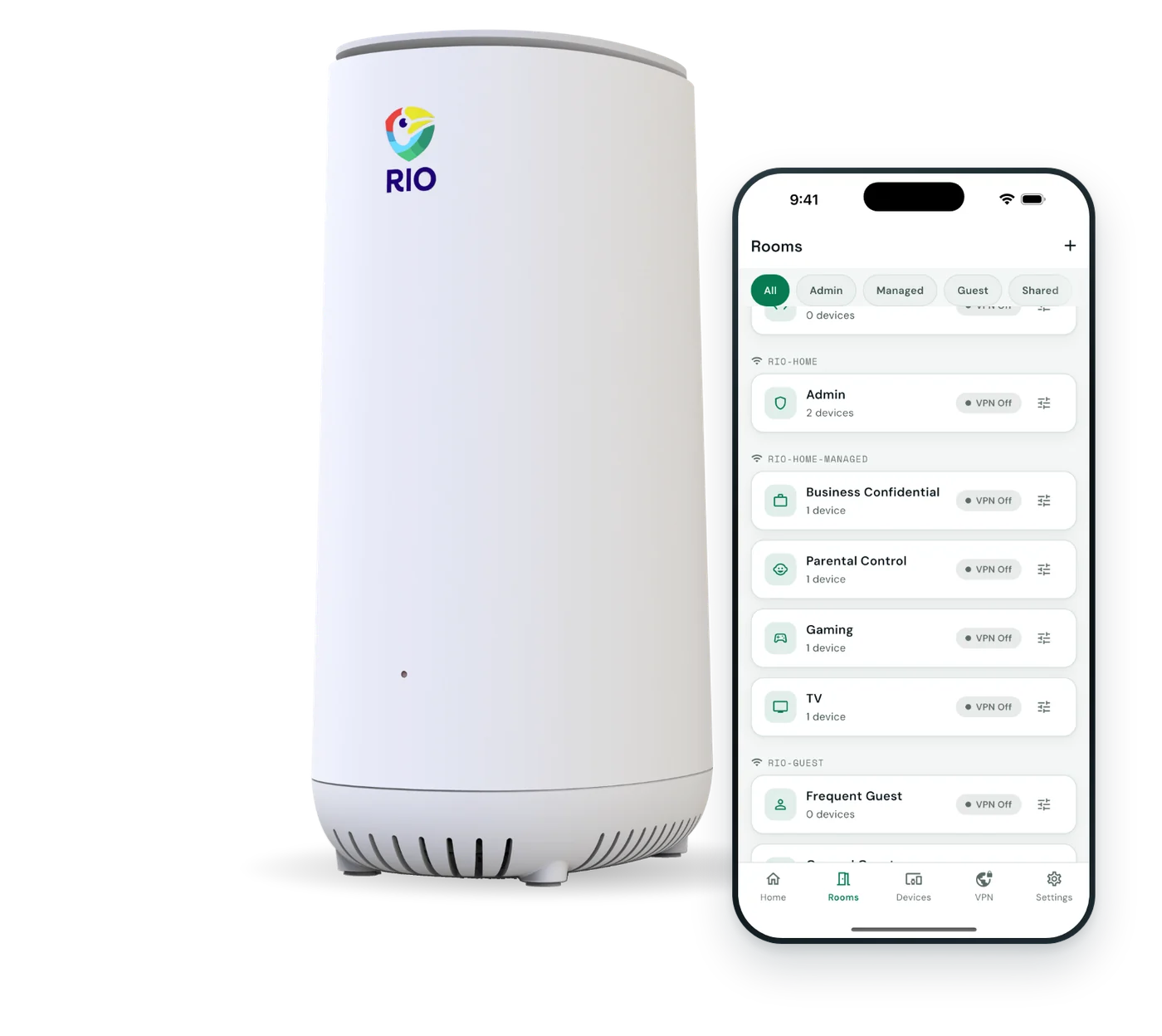
Walled off by default. You decide what goes where.
Kept apart from phones and laptops.
Your list of sites. Your hours.
Rio VPN on for this room.
Removed when they disconnect.
An example setup. Up to 16 rooms, named however you like.
Questions parents ask
Three questions we hear before every purchase, answered plainly.
Doesn’t my router already have parental controls?
Give you a pause button, or a paid filter that only blocks sites someone has already flagged.
Only the sites you pick load. A bad site nobody has flagged yet stays out too.
Aren’t kids’ apps enough?
Guard one phone or tablet. They can’t go on a TV, a game console or a camera.
Covers every device on your Wi-Fi. Your kids’ apps keep working on top.
Why not buy a cheaper router?
From about $380 over 3 years: a router from $170, plus $210 to $360 for filter plans.
$199.99 once, router included, with 1 year of VPN and no monthly fee.
Competitor prices from vendor pages, checked Oct 25, 2026. Routers start at $169.99. Filter plans run $69.99 to $99.99 a year.
Prices checked Oct 25, 2026
| Feature | Other routers | Apps | |
|---|---|---|---|
| Cost over 3 years | $199.99 | From about $380 with a router | $180 to $315 |
| No monthly fee for parental controls | Yes | filters cost extra | No |
| Covers TVs, consoles and gadgets | Yes | Yes | mostly no |
| Walls off cameras and gadgets | Yes | rare | No |
| New devices wait for your OK | Yes | rare | No |
| Blocks sites by category | No | Yes | Yes |
| Protects phones away from home | No | some | Yes |
No tech skills needed. The app shows you each step.
Rio replaces your current router. Scan the QR code and the app guides you.
Monitors in one room, kids in another. Approve each device as it joins.
Turn on Rio VPN, a kids’ website list and guest Wi-Fi.
Works alongside your kids’ apps
Each does a job the other can’t. Keep your kids’ device controls on and add Rio underneath.
Google Family Link
App limits, bedtime and location on Android and iPhone.
Free
Bark
Alerts, category filters and activity reports.
Paid
Qustodio
Category filters, time limits and reports.
PaidApp names and logos belong to their owners. Rio is not affiliated with or endorsed by them.
Your setup
Kids under 12
Pick the websites they can open and the hours. Cameras and gadgets stay walled off from their tablets.
Nothing else to buy.
Teens with their own phones
Rio guards your home Wi-Fi. The free app guards the phone when it leaves the house.
Both are free.
Parents who want alerts
Rio doesn’t send alerts about what your kids see or say online. Bark does.
Bark is a paid app.
App names and logos belong to their owners. Rio is not affiliated with or endorsed by them.
A router protects your network. It can’t parent for you.
| Topic | Rio handles it | Still on you |
|---|---|---|
| Kids’ devices | Their own room, apart from yours | Keep Screen Time or Family Link on |
| Websites | Only sites on your list load | Building the list. There’s no category filter. |
| Screen time | Set the hours each website is allowed, same every day | Daily time totals for each child |
Wi-Fi secured with WPA2 Personal. Works alongside your kids’ device controls.
More questions? Email our team and a real person will reply.
Yes. Rio has parental controls built into the router, with no monthly fee. Put your kids’ devices in their own room, choose the only websites that room can open, and set the hours each site is allowed. YouTube, Roblox, Khan Academy and Google Classroom add in one tap. It all runs from the Rio app on your phone.
Rio takes the opposite approach to a filter. Instead of guessing which sites are bad, only the websites on your list load, in browsers and apps alike. A site nobody has flagged yet stays out, because it was never on your list. Rio doesn’t sort sites by category, so you pick what your kids can open.
Every device on your home Wi-Fi in the kids’ room, including tablets, laptops, game consoles and smart TVs. That includes devices that can’t run a parental-control app. Rio works at the router, so there is nothing to install on each device.
Rio controls everything on your home Wi-Fi, so a phone on mobile data, or a device using a VPN app or a secure-DNS setting, can go around it. That is true of any router. Keep Screen Time or Family Link on their phones for those cases. A new device can’t join Rio’s Wi-Fi at all until you approve it in the app.
You set the hours each website is allowed, such as YouTube from 3 to 8 PM. The hours repeat every day and run within one day, from a start time to an end time. Rio doesn’t count daily totals for each child. Pair it with Screen Time or Family Link if you want total limits.
Most routers give you a pause button, or a paid filter that only blocks sites someone has already flagged. Rio flips it: only your list loads. You also get separate rooms for cameras and gadgets, approval for every new device, and no subscription. Rio replaces your router, so there is nothing extra to buy.
Rio works alongside your kids’ device controls, so keep them on. Those apps guard the phone or tablet wherever it goes. Rio guards your home network, including TVs, consoles and cameras that apps can’t cover. Together they cover the phone away from home and everything on your Wi-Fi.
Rio is $199.99 once, router included, with 1 year of Rio VPN and no monthly fee for parental controls. Over 3 years, other routers with paid filter plans start around $380, and parental-control apps run $180 to $315. Prices checked Oct 25, 2026 on each company’s own pages.
No router can promise that, but Rio limits the damage. Cameras and monitors go in their own SecureRoom, walled off from your kids’ tablets, your phones and your laptop. Many break-ins start with a reused password on the camera’s cloud account, so also use a unique password and two-step login.
A room is a separate section of your Wi-Fi for one kind of device. You can make up to 16, such as cameras, kids, parents and guests. Devices in one room can’t reach devices in another. Each room has its own settings, so the kids’ room can have a website list while the cameras stay walled off.
No. Rio goes behind your modem in place of your current router, then you scan the QR code on the back and the app walks you through each step. Plan on about 10 minutes. Adding a kids’ website list or a new room later takes a few taps.
Yes. Rio plugs in behind your provider’s modem and takes over as your router, so it works with the internet service you already have. It has a 2.5 Gbps port for fast internet plans. The app guides you through the connection.
Every device in the rooms you choose, including ones that can’t run a VPN app. The first year is included. After that it is $7.99 a month or $79.99 a year, and you can cancel before the year ends. Your router, rooms and device approval keep working without it.
You can return it. Rio has 30-day returns and a 1-year warranty, and app updates are free. If you’re not sure which setup fits your kids, email the Rio team and a real person will help you choose.
Pick their sites and hours tonight. Pay once.
$199.99includes 1 year of Rio VPN