Rio for Rental Hosts
Great Wi-Fi for your guests. Your smart lock stays out of reach.
Rio gives guests their own Wi-Fi and walls off your lock, thermostat and cameras. Guests are removed on disconnect and need your OK to return.
- A separate guest network
- Your devices in walled-off rooms
- About 10 minutes to set up
Your guests share Wi-Fi with your front door.
On a typical rental network, every guest joins the same Wi-Fi as your smart lock, thermostat and cameras. Rio puts a wall between them.
- 10 attacks a day on the average home networkNETGEAR and Bitdefender, 2024
- 21 connected devices in the average US homeDeloitte, 2023
- Millions of home devices hijacked by one criminal networkFBI, 2025
 Worst case
What if a guest goes looking for your door lock?
SecureRoomsYour lock, thermostat and cameras get rooms of their own, walled off from guest devices.
 Worst case
Last month’s guest is parked outside. Still on your Wi-Fi.
Guest networkGuest devices are removed when they disconnect, and returning ones need your OK.
 Worst case
One photo of your Wi-Fi card. Access for years.
Separate passwordsGuests get their own password, so changing it between stays never touches your gadgets.


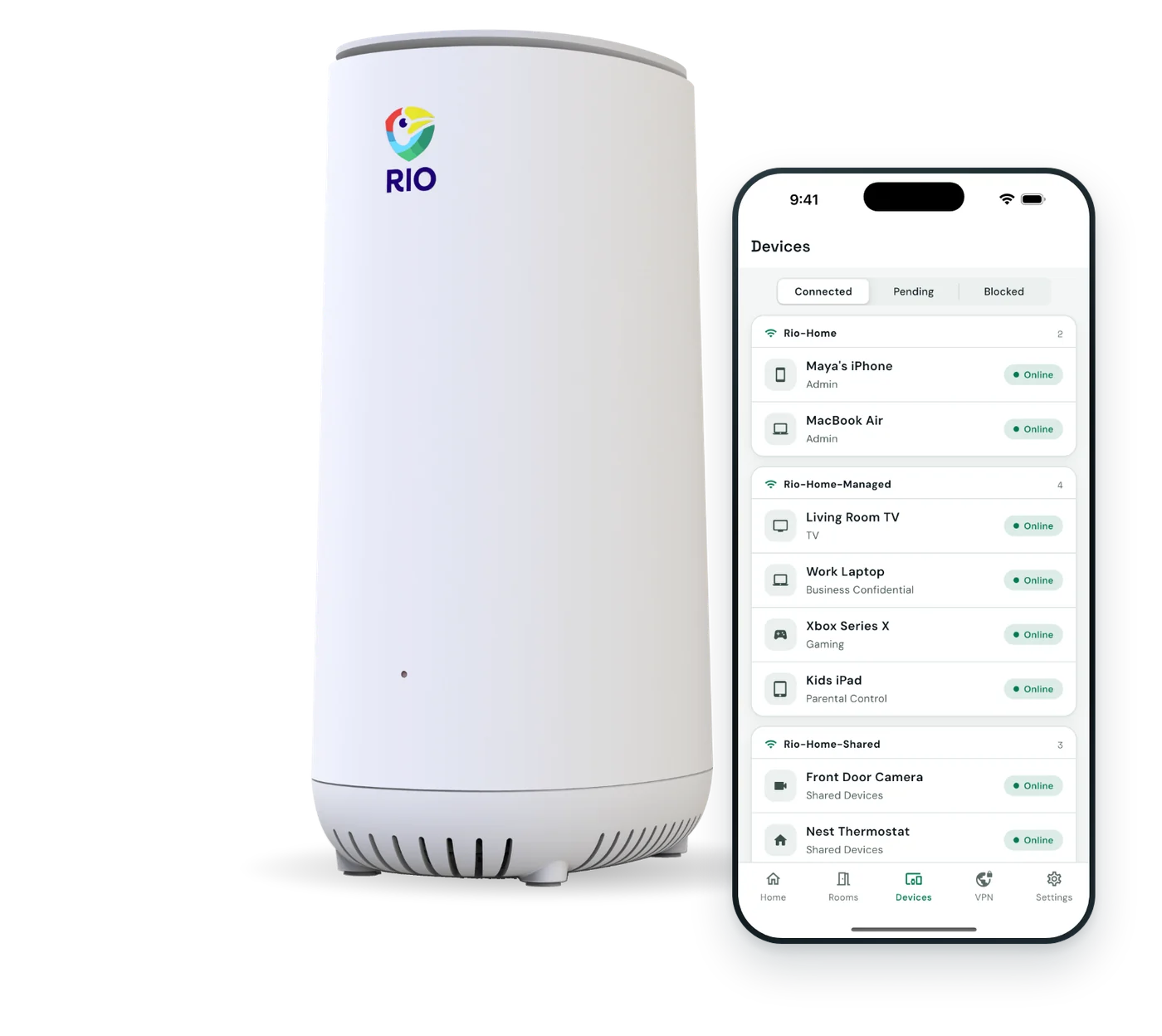
With Rio
Same rental. Your lock is out of reach.
Guests get their own Wi-Fi, and your lock, thermostat and cameras sit in walled-off rooms.
- Your devices get their own roomsLock, thermostat and cameras, walled off from guests.
- Past guests are removedReturning devices wait for your OK.
- A guest password of its ownChange it between stays. Your gadgets never notice.
How Rio sets up your rooms
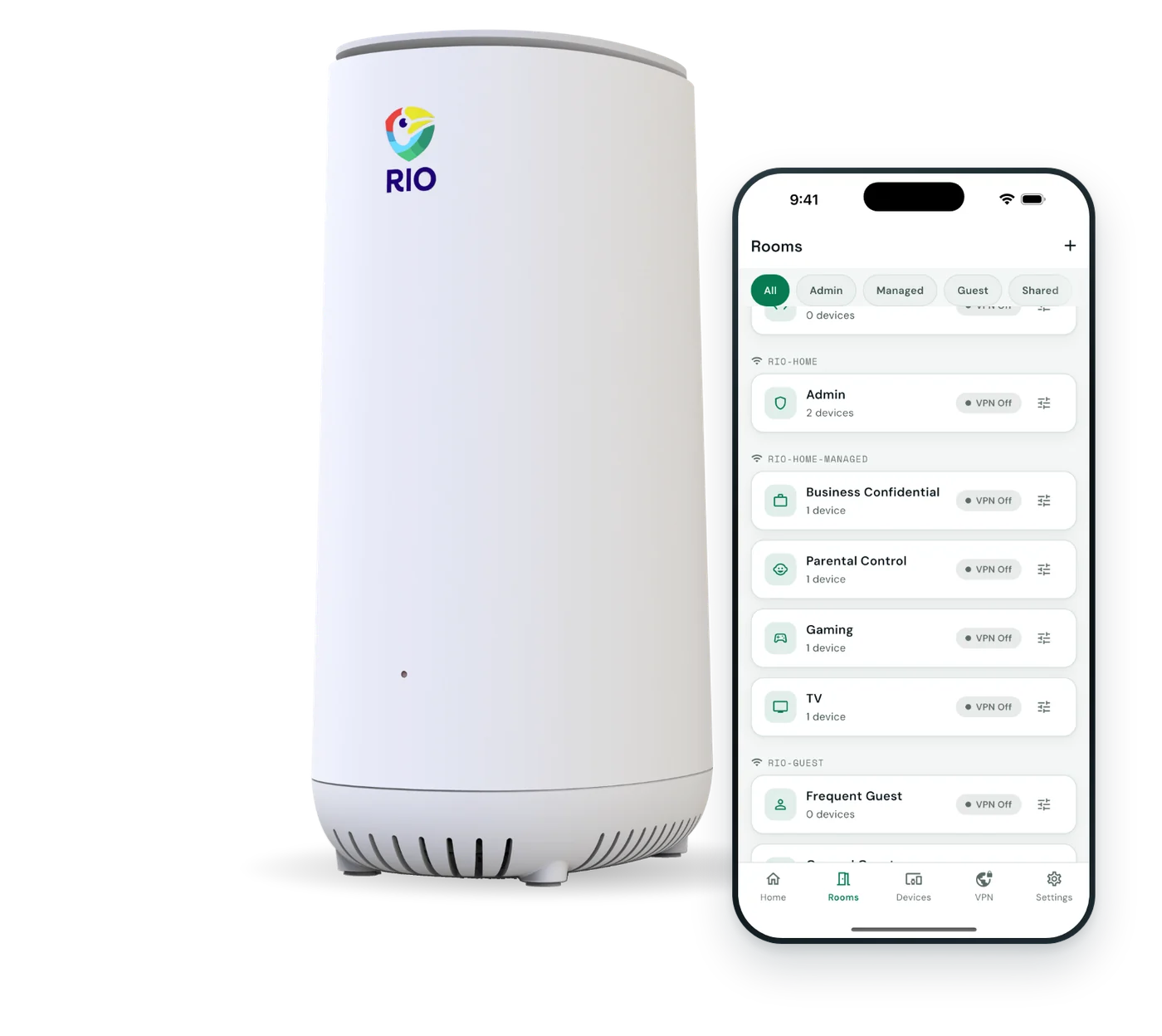
A rental, room by room.
Guests get their own Wi-Fi. Your devices sit in rooms walled off by default.

-
Door and climateWalled off
- Smart lock
- Thermostat
Kept apart from guest devices.
-
CamerasWalled off
- Doorbell
- Outdoor camera
Follow your platform’s and local rules on cameras.
-
GuestsGuest Wi-Fi
- Guest phones
- Guest laptops
- Tablets
Removed on disconnect. Returning devices need your OK.
-
OwnerPrivate
- Your phone
- Your laptop
For your own devices when you’re on site.
An example rental. Up to 16 rooms plus a separate guest network.
Ready before your next booking.
About 10 minutes, start to finish. The app guides you.
Plug in behind your modem.
Rio replaces your current router. Scan the QR code on the back and follow the app.
Move your devices in.
Put the lock and thermostat in one room, cameras in another. Approve each device as it joins.
Welcome your guests.
Share the guest Wi-Fi password and approve guest devices as they join. Change the password between stays.
What Rio does, and doesn’t do.
Hosting runs on trust. So does this list.
| Topic | Rio handles it | Still on you |
|---|---|---|
| Guest Wi-Fi | Its own Wi-Fi 6 network, with mesh for far rooms | Approving each guest device in the app |
| Past guests | Removed when they disconnect | Letting returning guests back in |
| Passwords | One per room, so gadgets stay connected | Changing the guest password between stays |
| Managing Rio | One property per setup, from the Rio app | Being on site or nearby. Remote access isn’t promised. |
| Cameras | Walled off from guest devices | Platform and local rules on cameras and disclosures |
Airbnb and Vrbo are their owners’ trademarks. Rio isn’t affiliated with or endorsed by either. Rio’s Wi-Fi uses WPA2 Personal.
Host questions.
Not sure Rio fits? Email us and a real person will reply.
How do I keep rental guests off my smart home devices?
Give guests their own network and keep your devices out of reach. Rio has a separate guest network, and your smart lock, thermostat and cameras sit in SecureRooms, walled off from guests by default.
Do past guests keep access to my Wi-Fi?
Not on Rio’s guest network. A guest device is removed when it disconnects, and if it comes back, it waits for your approval. You can change the guest Wi-Fi password between stays without touching your other rooms.
Do I have to approve every guest device?
Yes. Every new Wi-Fi device waits for approval in the Rio app, guests included, and the app can alert you. Since guest devices are removed when they disconnect, a returning guest may need approving again.
Will guests get good Wi-Fi?
Yes. Rio is Wi-Fi 6 with room for 150+ devices, so a full house streaming at once is no problem. Your internet plan sets the top speed, and mesh covers bigger properties, up to 38,000 sq ft.
Can guests see my security cameras or smart lock?
No. Your cameras, lock and thermostat sit in their own SecureRooms, walled off from the guest network. A guest who joins your Wi-Fi can’t reach them.
Can I manage Rio when I’m not at the rental?
We don’t promise that today. Plan on managing Rio from the app while you’re at the property. If you rarely visit your rental, email us before you buy and we’ll tell you honestly whether Rio fits.
Is it easy to set up at a rental?
Yes. Rio plugs in behind the modem and the app walks you through it in about 10 minutes. Guests join the guest Wi-Fi and your own devices stay in their rooms.
What does Rio cost?
$199.99, once, including 1 year of Rio VPN. After that, Rio VPN is optional at $7.99 a month or $79.99 a year. Shipping is free, and Rio comes with 30-day returns and a 1-year warranty.

Happy guests. Private devices.
A separate guest network, walled-off rooms for your lock and cameras, and device approval.
$199.99includes 1 year of Rio VPN
- About 10 minutes to set up
- Free shipping
- 30-day returns
- 1-year warranty